Avatar is a customizable digital representation of users, reflecting their personal style and company branding. It fosters a sense of community within the platform and integrates with gamified elements, making the user experience more interactive and engaging.
Personalization
Unique Identity: Users can create a digital representation of themselves, tailoring the avatar to reflect their personality, style, or professional role.
Customizable Appearance: Options for changing clothing, accessories, and other features to match individual preferences or company branding.
Brand Alignment
Company Branding: Avatars can be customized to align with your company’s branding, including colors, logos, and styles, ensuring a consistent and professional look across the platform.
Edit/Customize Avatar
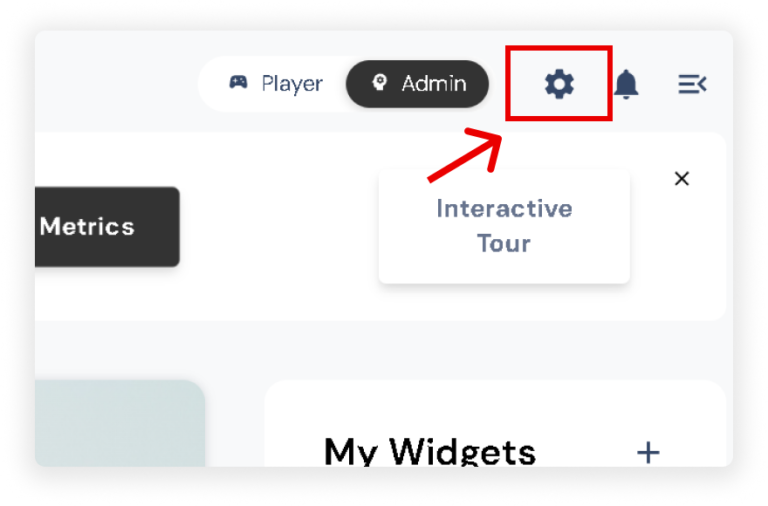
Click the settings icon in the upper right corner of your screen.
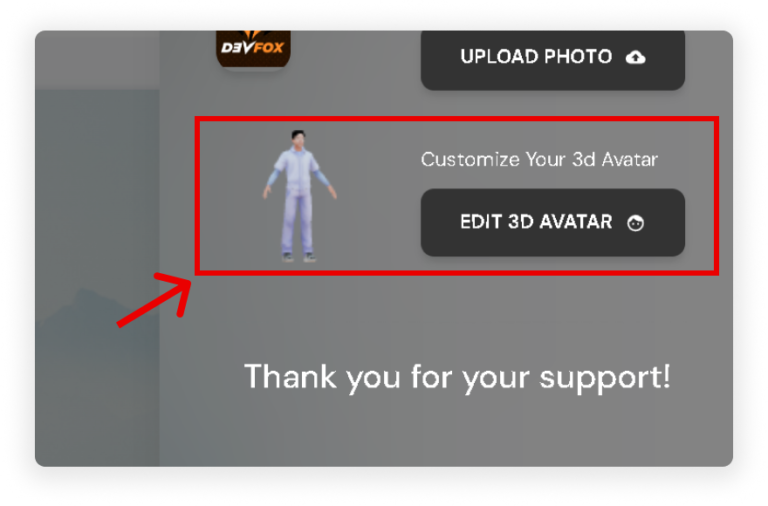
A slider will appear, displaying the Customization Settings.
On Customize Your 3D Avatar, click ‘Edit 3D Avatar’ button.
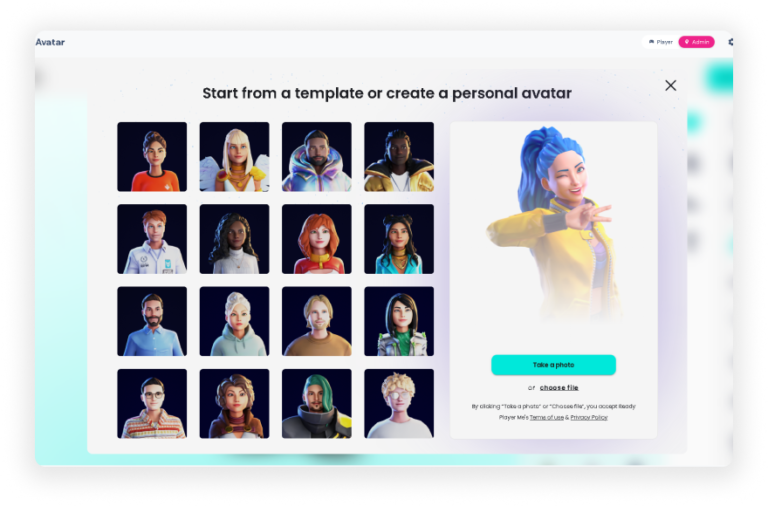
You can now start customizing your avatar to match your preferred style. Options include:
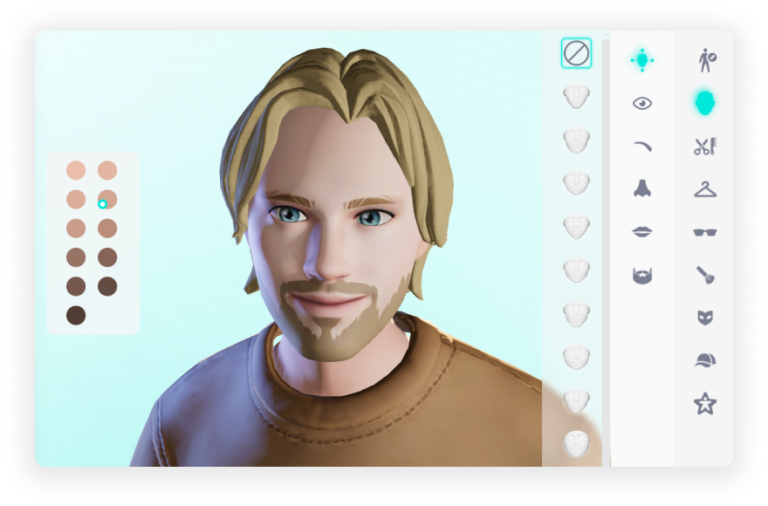
Manually editing the face of your avatar.
Taking a photo.
Uploading a file.
Customize various aspects of your avatar, from the face to accessories, to create a unique digital representation that reflects your personality or brand.