Remove Player/Employee in Company

Who can edit this feature?
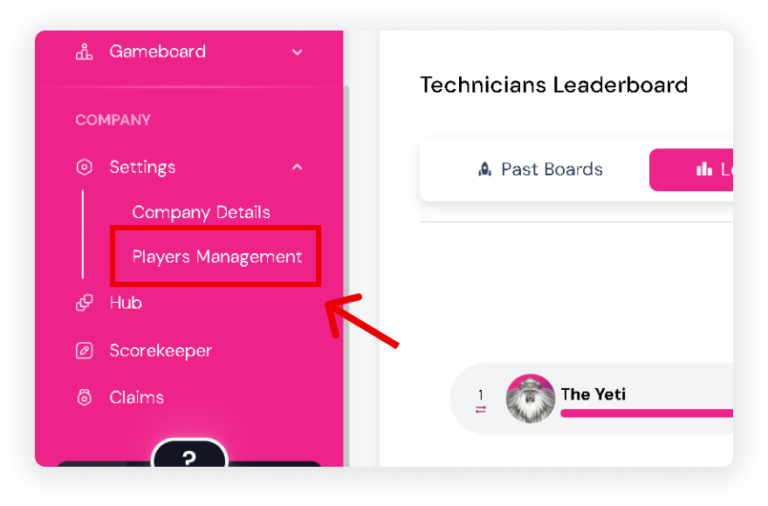
  • On the Sidebar, go to ‘Players Management’ under the Settings section.
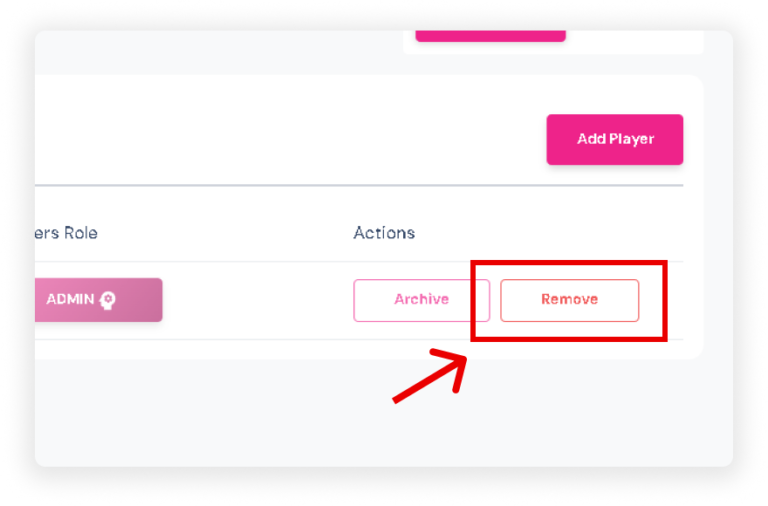
  • Navigate to the ‘Actions’ column and Click the ‘Remove’ button next to the player you want to remove.

Note: Removing a player means they will be removed from the entire company.