Upload/Change profile picture

Who can edit this feature?

There are two ways to upload a profile picture:

Method 1:

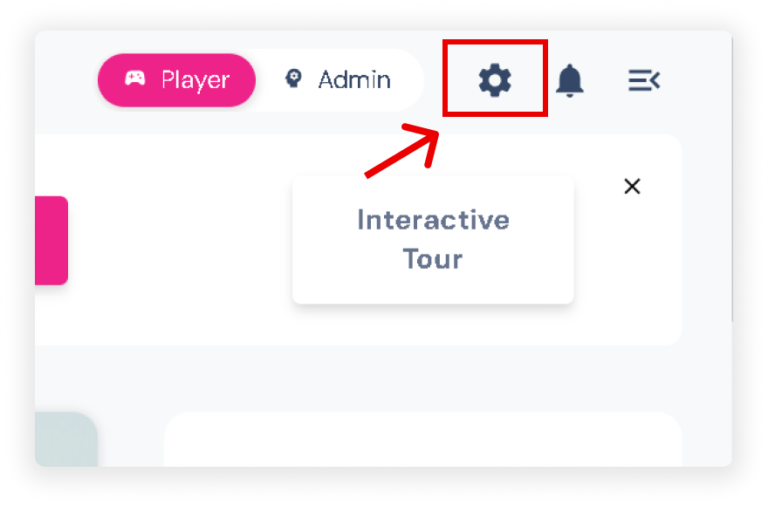
  • Click the Settings icon in the upper right corner of your screen to show the slider.
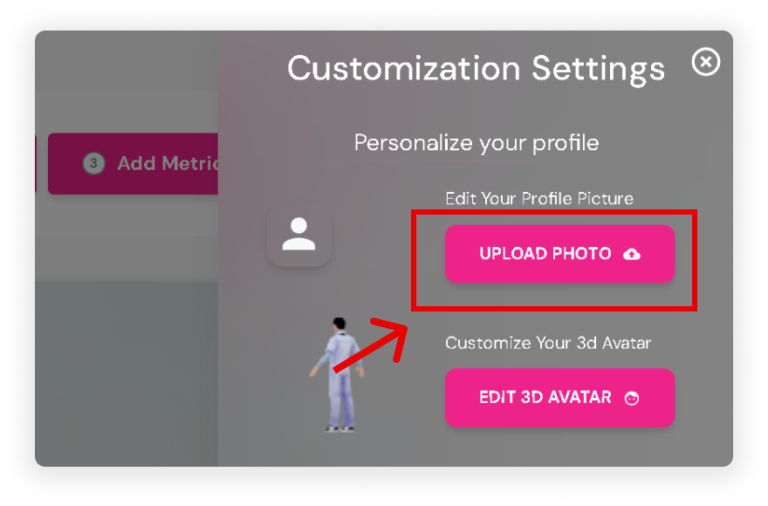
  • Under Edit Your Profile Picture, click the ‘Upload Photo’ button.

Method 2:

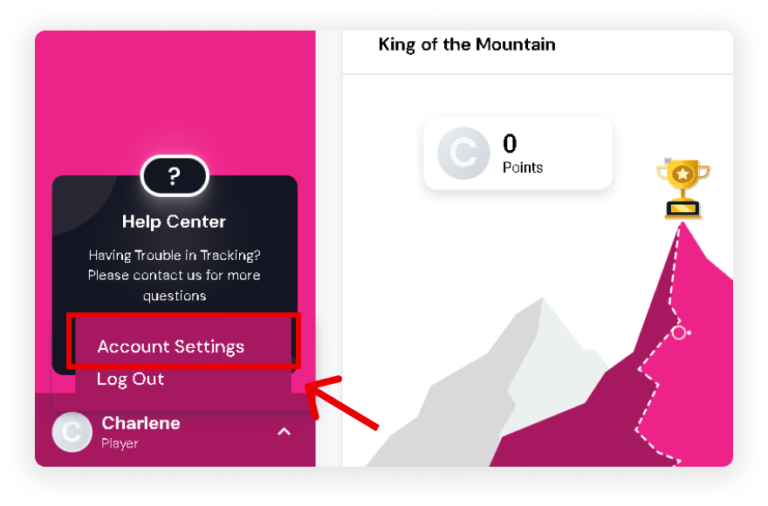
  • At the bottom of your sidebar, click the Drop-up Arrow. Then, click ‘Account Settings’.
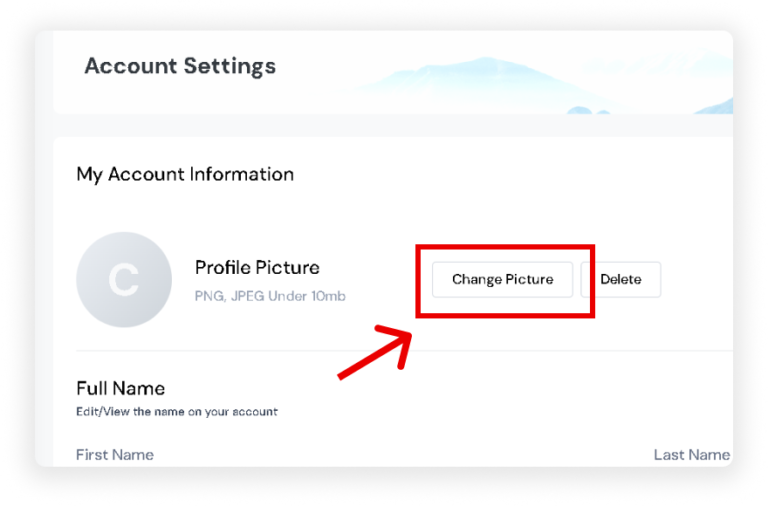
  • Next to Profile Picture, click the ‘Change Picture’ button and upload your photo.